Automation Isn't Broken on Linux — But It Doesn't Work Like You Think
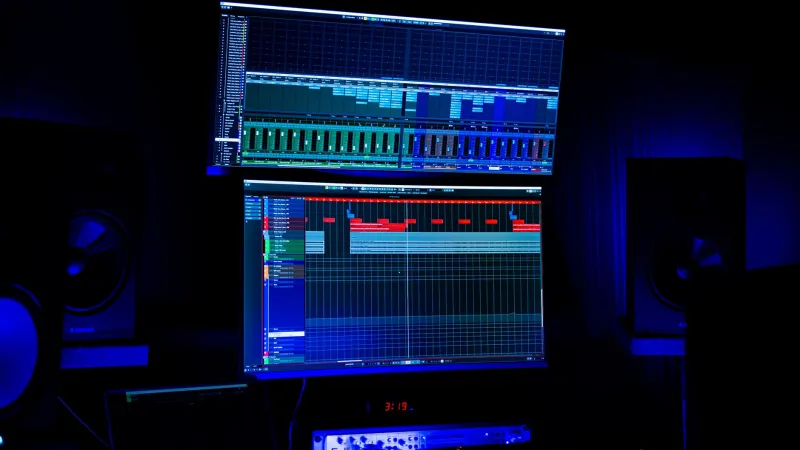
If you've ever drawn a perfectly smooth filter sweep in Ardour, hit play, and watched your mix behave like it's having a mild seizure, you're not alone. Automation on Linux is one of those topics that doesn't get nearly enough attention — mostly because producers assume it just works the same as it does on Ableton or Logic on a Mac. It doesn't. Not always. And the reasons why are actually pretty interesting once you dig in.
This isn't a hit piece on Linux audio. The platform is more capable than most people give it credit for. But automation — specifically how parameter changes are recorded, played back, and smoothed — is an area where the gaps between Linux DAWs and their Windows or macOS counterparts show up in ways that can genuinely affect your music if you're not prepared.
Why Timing Is More Complicated on Linux
On Windows, most DAWs sit on top of ASIO, which gives them fairly direct, low-level access to audio hardware with predictable latency behavior. macOS has CoreAudio doing similar work. Linux? It's a different story. You're usually dealing with JACK or PipeWire, and while both are excellent for pro audio, they introduce a layer of timing abstraction that affects how automation events land in real time.
JACK operates on a fixed buffer cycle. Every parameter change — whether it's a fader move, a filter cutoff sweep, or a plugin bypass — has to fit into that cycle. If your buffer is set to 256 samples at 48kHz, you've got roughly 5.3 milliseconds of resolution for automation events. That's fine for most things, but when you're doing rapid, high-resolution parameter moves — think LFO-style volume automation or quick filter stabs — you may notice that the playback feels slightly stepped or less fluid than what you'd get on a platform where the host has more granular control over event scheduling.
PipeWire has gotten a lot better here, and if you're on a modern distro running PipeWire as your audio server, some of these timing issues are less pronounced. But they haven't disappeared entirely, especially when you're bridging Windows VSTs through Yabridge or Carla.
How Different DAWs Handle Automation Curves
Here's where things get genuinely inconsistent, and it's worth knowing before you commit to a workflow.
Ardour is probably the most feature-complete Linux DAW when it comes to automation. It supports multiple interpolation modes — Linear, Discrete, and Logarithmic — and lets you specify them per-region. The catch is that the default behavior can surprise you. Ardour writes automation in Discrete mode unless you change it, which means your fader moves get recorded as step functions rather than smooth curves. New users coming from Ableton, where everything smooths automatically, hit this wall constantly.
REAPER on Linux (via Wine or native builds) handles automation curves with the same logic as its Windows version, which is actually a point in its favor for cross-platform consistency. REAPER uses linear interpolation between points by default, but you can right-click any automation point and switch to bezier curves. The playback timing is also notably tight, partly because REAPER's engine is efficient enough that it doesn't lean as hard on the underlying audio server for event scheduling.
Bitwig Studio is the outlier in the best way. Its automation engine is genuinely excellent, with smooth curve handling, modulator integration, and a real-time recording system that feels as polished as anything on macOS. If automation precision is a priority for you, Bitwig's native Linux support makes it worth serious consideration. The tradeoff is cost and the learning curve around its modulation system.
LMMS is the one to watch if you're budget-conscious, but its automation is the weakest of the bunch. Automation clips in LMMS work more like pattern-based envelopes than true real-time parameter recording, and the resolution is limited enough that complex modulations can sound choppy at slower tempos.
Parameter Smoothing and the Plugin Variable
Here's a layer most producers don't think about: the plugin itself plays a role in how smooth your automation sounds. When a host sends a parameter change to a VST, the plugin can either apply that change immediately (which creates zipper noise on audio-rate parameters like gain or cutoff) or smooth it internally over some number of samples. On Windows, many commercial plugins are tuned to the smoothing behavior expected by Ableton or FL Studio. On Linux, especially with Wine-bridged plugins, that smoothing may not interact cleanly with how the host is delivering automation data.
The practical result? A plugin that sounds butter-smooth when you automate its cutoff in FL Studio might produce audible stepping artifacts when you do the same thing in Ardour over JACK. This isn't a bug, exactly — it's a mismatch between the plugin's internal smoothing assumptions and the timing resolution the Linux host is delivering.
The fix is usually one of two things: increase your buffer size during mixdown (more samples per cycle = smoother automation delivery), or use a utility plugin like a DC offset filter or parameter smoother between your automation lane and the target parameter. Some producers just render the automated section in real time at a higher buffer size and then bring the audio back into the session.
Practical Workarounds That Actually Hold Up
Let's get concrete. Here's what works in real sessions:
Lock in your automation mode before you record. In Ardour especially, set your interpolation mode before you start moving knobs. Switching after the fact is possible but tedious, and it's easy to miss a region.
Use MIDI CC automation for plugin parameters when possible. Routing automation through MIDI CC instead of direct parameter control gives you more predictable timing behavior in most Linux DAWs, and it's more portable if you ever move a session.
Bounce automation-heavy sections early. If you've got a synth doing a lot of real-time parameter work, render it to audio before your final mix. This takes the timing variability out of the equation entirely and frees up CPU headroom.
Test your plugins' smoothing behavior before you build around them. Automate a simple gain parameter on any new plugin and listen for stepping artifacts. If you hear them, you know you're working with a plugin that expects a different delivery model than what your Linux setup provides.
Match your session buffer to your task. Use a tight buffer (64 or 128 samples) when recording live automation in real time, then bump it up (512 or 1024) during mixdown. The higher buffer gives the automation engine more samples to work with per cycle, which translates to smoother playback of complex curves.
The Bottom Line
Automation on Linux isn't fundamentally worse than what you get on Windows or macOS — but it is different, and those differences have real consequences if you're not paying attention. The timing model, the DAW-specific curve handling, and the plugin-side smoothing behavior all interact in ways that don't always match your expectations coming from another platform.
Once you understand the mechanics, though, it's actually pretty manageable. Linux gives you enough control over the underlying audio system that you can tune your setup to minimize most of these issues. That's not something you get on every platform. The producers who thrive on Linux are the ones who stopped expecting it to behave exactly like their old Windows rig and started learning how to use what it actually offers.