Plug In and Pray: Getting Your MIDI Controller to Actually Work With Your Linux DAW
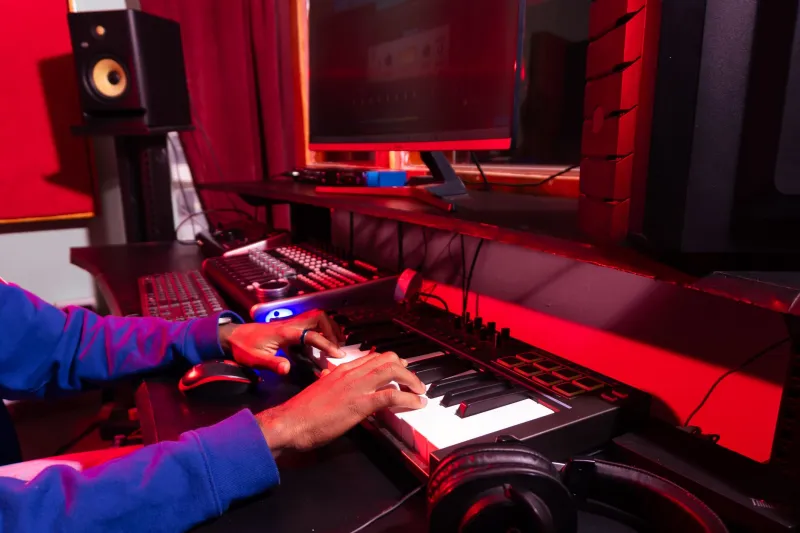
There's a specific kind of frustration reserved for the moment you plug in a brand-new MIDI controller, fire up your DAW, and hear absolutely nothing. No signal. No blinking lights in the MIDI monitor. Just silence and the quiet hum of a machine that refuses to cooperate. If you produce on Linux, you've probably been there. And if you haven't yet, buckle up.
MIDI controller compatibility on Linux is one of those topics that sounds like it should be simple — MIDI is a decades-old standard, after all — but the reality is messier than the spec sheet suggests. The good news is that most problems are solvable. The bad news is that "solvable" sometimes means "solvable after three hours of forum threads and one kernel module recompile."
Let's sort out why this happens and, more importantly, how to deal with it.
Why Linux and MIDI Controllers Don't Always Get Along
Here's the core tension: modern MIDI controllers aren't just MIDI controllers anymore. A lot of them ship with companion software — editors, firmware updaters, DAW integration scripts — that's built exclusively for Windows and macOS. That software often handles more than just cosmetic stuff. It configures device modes, maps controls, and in some cases, initializes the hardware in ways that are required for it to function properly.
On Linux, that software either doesn't exist or won't run cleanly, even through Wine. So what you're left with is a device that technically speaks MIDI but is stuck waiting for a handshake that never comes.
Then there's the driver situation. Most class-compliant USB MIDI devices — meaning they follow the USB MIDI standard without requiring custom drivers — work out of the box on Linux. The kernel handles them natively. Plug them in, and they show up in ALSA or JACK without any fuss. But the moment a manufacturer decides to roll their own driver architecture for extended features, you're potentially looking at a Linux-shaped hole in their support documentation.
The Class-Compliant Test
Before you buy any controller, run this mental check: is it class-compliant? This is the single most important question for Linux compatibility.
Manufacturers don't always advertise this clearly, but you can usually find out by digging into spec sheets, checking the Linux MIDI Hardware Compatibility List (yes, it exists), or searching the KVR Audio forums for your specific model. If someone has successfully run it on Ubuntu or Arch, there's a solid chance it'll work for you too.
Korg, Arturia, Novation, and Akai all have controllers in their lineups that are class-compliant and behave well on Linux. The Arturia KeyLab series, for example, has a strong reputation in the Linux audio community. Same goes for Korg's nanoSeries controllers — small, bus-powered, and they just show up. Novation's Launchpad line is another solid choice, particularly for Ableton-style grid workflows running through something like Bitwig on Linux.
Behringer gets a mixed report card. Some of their controllers work fine; others require extra steps depending on firmware version. Nektar is hit-or-miss. Native Instruments has historically been one of the more frustrating brands for Linux users — their Komplete Kontrol ecosystem leans hard on proprietary software that has no Linux equivalent.
Real-World Troubleshooting: Where to Start
Okay, so your controller isn't playing nice. Here's a practical sequence before you start rage-posting on Reddit.
Step one: check if Linux even sees the device. Run lsusb in a terminal right after plugging in the controller. If your device shows up in that list, the kernel registered it at the USB level. If it doesn't show up at all, you've got a hardware or cable issue — not a software one.
Step two: check ALSA. Run aconnect -l or open a tool like aconnectgui. If your controller appears here, ALSA has it and it should be routeable. From here, you can manually connect it to your DAW's MIDI input if it's not being detected automatically.
Step three: check your DAW's MIDI settings. This sounds obvious, but DAWs on Linux handle MIDI input differently depending on whether they're running through ALSA, JACK, or PipeWire. If you're on Ardour, make sure MIDI is enabled in the session properties. If you're on Bitwig, check the Controllers tab in settings and see if the device is listed as detected.
Step four: try JACK. If you're not already running JACK for audio, this might be the moment to start. JACK gives you more explicit control over MIDI routing and can sometimes surface devices that ALSA is handling awkwardly. QjackCtl's connection graph makes it easy to see exactly what's connected to what.
Step five: check for firmware-gated features. Some controllers lock advanced features — like encoder feedback, pad sensitivity curves, or DAW transport control — behind companion software. If basic MIDI notes are working but pads or knobs aren't responding, this is likely your culprit. In some cases, running the manufacturer's editor once under Wine with the right prefix configuration will get the device into the mode you need. It's not elegant, but it works.
PipeWire Changes the Picture (A Little)
If you're running a modern distro that's moved to PipeWire as the default audio server — Fedora, recent Ubuntu spins, Pop!_OS — you've got a somewhat different MIDI landscape than the traditional ALSA/JACK split. PipeWire handles MIDI routing natively and presents itself as both an ALSA and JACK compatible layer.
For most class-compliant controllers, this is actually great news. Detection tends to be more reliable, and you don't necessarily need to manually launch JACK to get MIDI flowing. But PipeWire MIDI is still maturing, and edge cases exist. If something isn't working under PipeWire that you'd expect to work, pw-jack can force JACK-compatible MIDI routing and sometimes resolves the issue.
When to Cut Your Losses
Not every controller is worth fighting with. If you've spent significant time trying to get a device working and the only community resources you can find are three-year-old forum posts with no resolution, that's a signal. The Linux audio community is vocal and well-documented. If nobody's gotten it working, there's probably a reason.
In that case, sell the controller and put the money toward something with a known-good Linux track record. Your time has value. A $150 class-compliant controller that works immediately is worth more than a $400 flagship that eats a week of your life.
The Bottom Line
MIDI controller compatibility on Linux isn't a coin flip — it's a research problem. The more you know before you buy, the less time you spend troubleshooting afterward. Stick to class-compliant hardware, cross-reference your model against community reports, and have a basic ALSA/JACK troubleshooting workflow ready when something doesn't connect automatically.
The Linux audio stack has come a long way, and most modern controllers will work with minimal friction if you choose wisely. The goal is to spend your time making music, not debugging USB descriptors at midnight.