Distro Smackdown: Which Audio Linux Actually Holds Up in a Real Production Environment
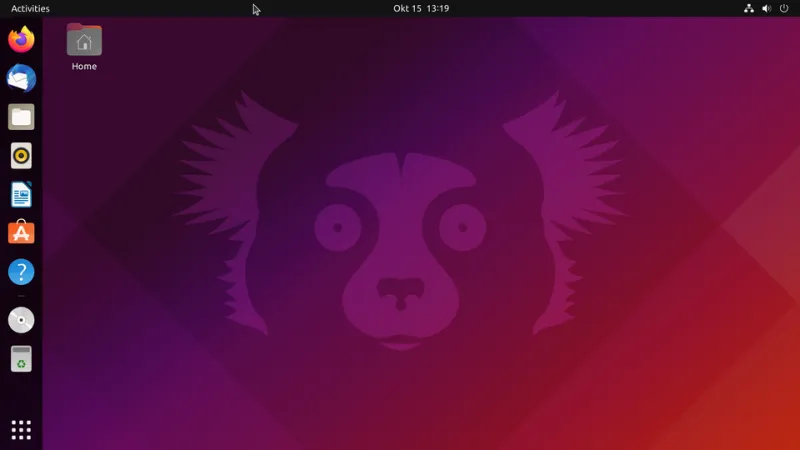
Photo: OS by Canoncial Ltd./Screenshot by PantheraLeo1359531 😺 (talk), GPL, via Wikimedia Commons
Choosing a Linux distro for audio production shouldn't feel like picking a religion. But spend any time on audio forums and you'll find deeply entrenched camps, each convinced their flavor of Linux is the only sane choice. The truth, as usual, is more interesting and more useful than any of that.
We spent several weeks running Ubuntu Studio, KXStudio, and AV Linux across a range of real production scenarios—VST-heavy mixing sessions, live recording with low-latency requirements, and plugin-dense mastering chains. Here's what we actually found.
What We Tested and How
To keep this grounded, we ran tests on two machines: a mid-range desktop with an AMD Ryzen 5 5600X and 32GB of RAM, and a five-year-old Dell XPS 13 laptop with 16GB of RAM and an Intel Core i7-8550U. The laptop is the kind of machine a lot of bedroom producers and traveling engineers are actually using—not a purpose-built audio workstation.
For each distro, we used REAPER as the primary DAW (it's the closest thing to a common denominator in Linux audio), loaded the same set of plugins via yabridge and native Linux builds, and measured latency at multiple buffer sizes using a USB audio interface. We also paid attention to the less quantifiable stuff: how painful was setup, how well did the ecosystem hold together, and did anything randomly break during a session.
Ubuntu Studio: The Safe Bet That Earns Its Reputation
Ubuntu Studio is the most accessible of the three, and that's both its strength and its limitation. Based on Ubuntu LTS releases, it ships with a low-latency kernel, a curated set of audio tools pre-installed, and a clean KDE Plasma desktop that doesn't get in your way.
On the Ryzen desktop, Ubuntu Studio was genuinely impressive. We hit stable 64-sample buffer performance with our USB interface, ran 40-plus plugins in REAPER without xruns, and had yabridge up and running within about 20 minutes of first boot. The PipeWire integration in the current 24.04-based release is solid—routing audio between applications is no longer the arcane ritual it used to be.
On the older laptop, Ubuntu Studio still performed well, though we had to bump the buffer to 128 samples to stay xrun-free under heavy plugin loads. That's not a knock on the distro—it's just honest hardware math.
The main critique of Ubuntu Studio is that it's conservative. It tracks Ubuntu's release cycle, which means you're not always getting the newest versions of JACK, PipeWire, or kernel audio improvements. If bleeding-edge audio tooling matters to you, you'll sometimes feel like you're waiting on the distro to catch up.
Best for: Producers who want a polished, low-friction starting point, especially those coming from macOS or Windows who don't want to spend a weekend troubleshooting.
KXStudio: Maximum Power, Maximum Patience Required
KXStudio is a different animal. Rather than a standalone distribution, it's technically a repository layer that you can apply on top of Ubuntu or Debian—though bootable ISO images are available. The KXStudio repos give you access to a massive collection of audio software, including versions of tools like Cadence, Catia, and Claudia that you won't find elsewhere in a comparable state of curation.
On the Ryzen desktop, KXStudio delivered the best raw performance of the three. With the KXStudio kernel and a properly configured JACK session, we hit 32-sample buffer operation without any xruns on our interface—something we couldn't reliably replicate on the other distros without significant additional tuning. If you're doing live performance or recording work where every millisecond of latency matters, that's a real advantage.
The tradeoff is complexity. KXStudio assumes you're willing to learn. The Cadence suite is powerful, but its interface is dense and the documentation assumes familiarity with JACK concepts that newer users won't have. We also hit a few dependency conflicts when trying to mix KXStudio repos with standard Ubuntu packages—nothing catastrophic, but the kind of thing that eats an afternoon.
On the laptop, KXStudio was more of a mixed bag. The low-latency gains were smaller relative to Ubuntu Studio, and we spent more time wrestling with configuration to get stable performance. For a less powerful machine, the complexity overhead starts to outweigh the performance ceiling.
Best for: Engineers who know their way around JACK, want maximum control over their audio stack, and are running capable hardware. Not the right starting point for newcomers.
AV Linux: The Underdog With a Devoted Following
AV Linux occupies a unique space. It's based on Debian rather than Ubuntu, maintained by a single developer (Glenn MacArthur, who has been quietly building it for years), and ships with an unusually complete set of pre-configured audio and video tools. The fact that it's a one-person operation might sound like a red flag, but the community around it is active and MacArthur is genuinely responsive.
In practice, AV Linux felt the most immediately "ready" of the three distros on first boot. The default configuration—kernel, audio stack, system tuning—was closer to production-ready out of the box than either of the other options. On the Ryzen desktop, we were running sessions with real plugin loads within an hour of installation, without touching the audio configuration at all.
Latency performance was competitive with Ubuntu Studio and better than we expected given the Debian base. The default kernel in recent AV Linux releases is well-tuned for audio, and the system doesn't include a lot of the background services that can introduce scheduling jitter on general-purpose distros.
On the older laptop, AV Linux was the standout. Lightweight by design, it ran more cleanly on constrained hardware than the other two options. If you're trying to squeeze real production work out of a machine that's five or more years old, AV Linux is the most practical choice we tested.
The concern with AV Linux is longevity and support. A single-developer project, however excellent, carries inherent risk. If MacArthur steps away from the project, updates slow down. It's worth keeping that in mind as part of your platform decision.
Best for: Producers on older or lower-spec hardware, and anyone who wants a pre-tuned system without the complexity of KXStudio.
The Honest Verdict
There's no universal winner here, and anyone who tells you otherwise is selling something. What we can say with confidence:
- Ubuntu Studio is the right choice for most producers making the switch to Linux. It's well-supported, actively developed, and gets out of your way.
- KXStudio is the power-user option. If you're chasing the lowest possible latency and you know your way around a JACK session, it delivers. But budget time for the learning curve.
- AV Linux punches above its weight, especially on older hardware. It's the sleeper pick, and more producers should know about it.
The best distro for your workflow is the one that matches your hardware, your patience for configuration, and how much time you want to spend on setup versus actually making music. Start with Ubuntu Studio if you're unsure. Move to KXStudio if you outgrow it. And keep AV Linux in your back pocket for the day someone hands you a five-year-old ThinkPad and asks you to do a session on it.