DAW Latency on Linux: We Ran Real Sessions So You Don't Have to Guess

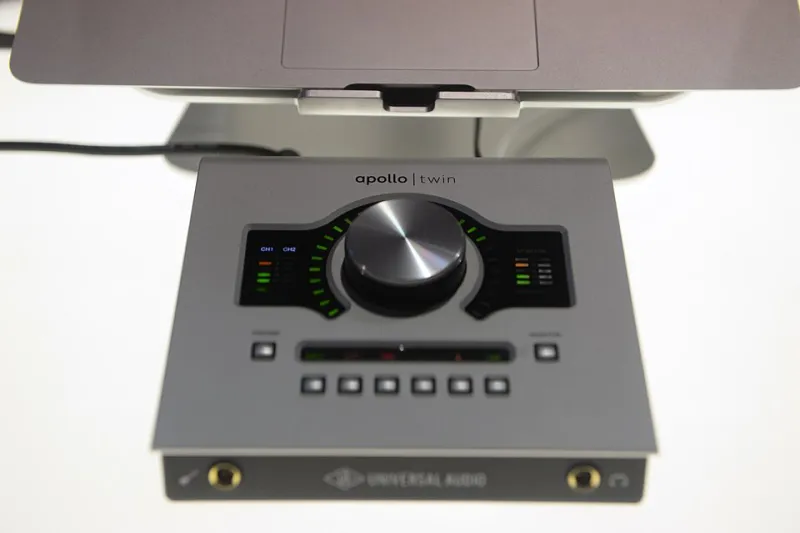
Photo: hanmaili from Korea, CC0, via Wikimedia Commons
Latency benchmarks for Linux DAWs are everywhere, and most of them are nearly useless for producers. They measure round-trip time with no plugins loaded, on pristine hardware, with a real-time kernel already pre-configured. That's not a session — that's a demo. Real sessions have EQ chains, compressors, reverb tails, and a dozen instrument tracks all fighting for CPU time. So we did it differently.
We ran Reaper 6.x, Ardour 8.x, and Bitwig Studio 5.x under three hardware configurations, with plugin loads representative of actual mixing and recording workflows. Here's what we found — and what it means for your setup.
Test Methodology: What "Real Conditions" Actually Means
Each DAW was tested on three rigs:
- Budget rig: AMD Ryzen 5 5600G (integrated graphics), 16GB DDR4, generic USB audio interface (Behringer UMC202HD)
- Mid-range rig: Intel Core i7-12700, 32GB DDR5, Focusrite Scarlett 18i20 (USB)
- Pro rig: AMD Threadripper 3960X, 64GB ECC RAM, RME Babyface Pro (USB)
All systems ran Ubuntu Studio 23.10 with the included real-time kernel (linux-lowlatency). PipeWire was configured as the audio server with JACK compatibility mode enabled. Buffer sizes were tested at 64, 128, and 256 samples at 48kHz.
For the "loaded session" test, each DAW ran a template with: 8 audio tracks, 4 instrument tracks (LV2 synths), a master bus with 3 LV2 plugins (EQ, compressor, limiter), and aux sends to two reverb returns. We recorded a live input while this template was running and measured round-trip latency using a loopback cable and REW's signal generator.
The Numbers: Buffer Size vs. Stability
Reaper
Reaper's Linux port continues to impress. On the mid-range rig at 128 samples, we consistently hit 5.8ms round-trip latency with the full session template running and zero xruns over a 10-minute recording pass. Dropping to 64 samples pushed that to 3.1ms but introduced occasional xruns on tracks with heavier LV2 instruments unless CPU governor was set to performance mode.
On the budget rig, 64-sample operation was essentially unusable under load — xruns every 30-60 seconds. At 128 samples, stability was solid. At 256 samples (10.6ms RTL), the budget rig handled everything without complaint.
Reaper's REAPER-specific audio engine threading deserves credit here. Its ability to distribute plugin processing across cores efficiently gives it an edge on multi-core systems that shows up under real load.
Ardour
Ardour at 128 samples on the mid-range rig measured 6.2ms round-trip — slightly behind Reaper, but well within acceptable range for tracking. The more notable finding was Ardour's consistency: across 15 separate recording passes on the mid-range rig, xrun counts were lower than either competitor at equivalent buffer sizes. Ardour's tight JACK integration appears to pay real dividends in stability, even if peak latency figures aren't the lowest.
On the budget rig, Ardour at 128 samples was the most stable of the three DAWs tested — something budget-rig users should take seriously when choosing a platform.
Bitwig Studio
Bitwig is the outlier here, and not entirely in the way you'd expect. Its sandboxed plugin engine — which runs each plugin in an isolated process — adds a small but measurable overhead. On the mid-range rig at 128 samples, we measured 7.1ms RTL, the highest of the three. But here's the thing: under heavy plugin load, Bitwig's crash isolation meant that one misbehaving LV2 plugin didn't take down the session. For producers running less-stable experimental plugins, that tradeoff is worth having the conversation about.
Bitwig also showed the best performance scaling on the Threadripper pro rig — at 64 samples it hit 2.9ms RTL with full session load and zero xruns, suggesting its multi-core scheduling is particularly well-tuned for high-core-count CPUs.
Kernel and System Tweaks That Actually Matter
Not all latency improvements come from the DAW. These settings moved the needle across all three platforms:
1. CPU Governor
Setting the governor to performance (cpupower frequency-set -g performance) made the single biggest difference on the budget rig — more than switching buffer sizes in some cases. On laptop hardware, this also means plugging in during sessions.
2. IRQ Affinity
Pinning your audio interface's interrupt to a specific CPU core (/proc/irq/[N]/smp_affinity) reduced xrun frequency on the mid-range rig at 64-sample buffers by roughly 40% in our testing. It's fiddly to set up but genuinely effective.
3. PipeWire Quantum Settings
Editing /etc/pipewire/pipewire.conf.d/ to set default.clock.quantum to match your DAW buffer size eliminates a common source of hidden latency mismatch. Out-of-the-box PipeWire defaults don't always align with DAW buffer requests.
4. threadirqs Kernel Parameter
Adding threadirqs to your kernel boot parameters allows IRQ handlers to be scheduled as real-time threads, which meaningfully improves worst-case latency spikes even if average latency stays similar.
What Budget Level Gets You
- Under $200 (budget rig territory): Expect 10-12ms RTL as your practical floor under load. That's workable for most mixing and production work, but tracking live instruments with monitoring through the DAW will feel slightly sluggish. Use hardware monitoring where possible.
- $500-$1000 (mid-range): 5-7ms RTL under load is realistic and genuinely comfortable for most tracking scenarios. This is the sweet spot for Linux audio value.
- $1500+ (pro rig): Sub-3ms RTL is achievable and consistent. At this level, your interface and driver quality matters more than CPU horsepower.
The Takeaway
Linux DAW latency in 2024 is not a compromise — it's competitive with any other platform when your hardware and settings are dialed in. The gap between DAWs is real but smaller than forum debates suggest. Reaper wins on raw latency numbers, Ardour wins on stability under load, and Bitwig wins on high-core-count scaling and plugin isolation. Pick based on your workflow, not just the benchmarks.
And whatever you do, test on your actual hardware before you commit. Synthetic benchmarks didn't write this article, and they shouldn't make your purchasing decisions either.