You Paid for It, You Can't Use It: Cracking the VST Licensing Problem on Linux
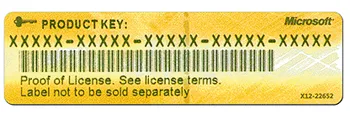
Photo: Skyman248, CC BY-SA 4.0, via Wikimedia Commons
Let's say you spent $300 on a compressor plugin last year. You used it constantly on Windows. Then you made the switch to Linux, fired up yabridge, and watched your session crash every time that plugin tried to phone home for an activation check. Your money didn't go anywhere. Your license didn't expire. But the plugin? Gone.
This is one of the most frustrating realities of running a professional audio setup on Linux, and it doesn't get talked about enough. The problem isn't always technical incompatibility—sometimes it's the licensing and DRM layer sitting between you and software you legitimately own.
Why Activation Systems Fail on Linux
Most commercial VST plugins ship with some form of copy protection. The big ones—iLok, Pace, Wibu, or proprietary in-app activation—were built to run on Windows and macOS. Full stop. When you try to run a Windows VST through a compatibility layer like Wine or yabridge, the plugin binary itself might load just fine. But when it tries to verify your license, it's making system calls, checking hardware IDs, or reaching out to an activation server using methods that either break entirely under Wine or return values the DRM system doesn't recognize.
iLok is a particularly common culprit. The iLok License Manager has no official Linux support. Even if you have a physical iLok USB dongle, the background service it requires to authorize plugins is a Windows or macOS application. Some users have reported partial success running iLok License Manager through Wine separately, but it's fragile, version-dependent, and not something the developer supports or encourages.
Native Instruments' NKS ecosystem runs into similar walls. Their Native Access application—required for activating most NI products—doesn't run natively on Linux. You can sometimes coax it through Wine with enough patience, but hardware detection quirks often cause activations to fail or get flagged as suspicious by the server side.
The Legal Gray Zone Nobody Wants to Talk About
Here's where things get uncomfortable. Most plugin EULAs (End User License Agreements) grant you a license to use the software on a specific number of machines, sometimes tied to an OS. A few explicitly prohibit running the software through emulation or compatibility layers. If your EULA says that, running your plugin through Wine may technically put you in violation—even though you paid full price and have done nothing wrong in any moral sense.
The reality is that enforcement of these clauses against individual end users is essentially nonexistent. No plugin developer is coming after a bedroom producer for running Serum through yabridge. But it does mean that when something breaks, you're on your own. Support tickets citing Linux compatibility issues are routinely closed without resolution, often citing the EULA as the reason they're not obligated to help.
A few developers have been more candid about this than others. When we reached out to several small-to-mid-sized plugin companies for comment, the responses ranged from sympathetic to blunt. One developer at a boutique effects company put it plainly: "We'd love to support Linux users, but our licensing vendor doesn't offer a Linux SDK. Until they do, we literally can't issue activations that work natively on that platform."
That's the crux of it—it's often not the plugin developer dragging their feet, it's the third-party DRM vendor.
Tools That Can Actually Help
So what are your practical options? A few approaches are worth knowing about.
Yabridge with careful Wine prefix management is your first line of defense for Windows VSTs in general. Keeping a clean, well-configured Wine prefix specifically for commercial plugins—separate from your general Wine environment—reduces the chances of DRM-related crashes caused by conflicting system libraries.
Bottles is a Wine prefix manager with a GUI that makes it easier to isolate environments per application. Some users have had success running iLok License Manager inside its own Bottle, separate from the DAW environment, and then pointing yabridge at a prefix that shares the activated state. It's not seamless, but it's more stable than a single chaotic Wine prefix.
Plugin Alliance's own activation system, for what it's worth, has been reported by multiple Linux users to work reasonably well through Wine—primarily because their system doesn't rely on iLok. If you're building out a plugin library and Linux compatibility matters to you, this is worth factoring into your purchasing decisions before you buy.
Checking the Linux VST community databases before purchasing is genuinely underrated advice. The LinuxMusicians forum and the yabridge GitHub issue tracker are both searchable goldmines of real-world compatibility reports. If twenty people have reported that Plugin X's DRM breaks under Wine, that's information worth having before you spend $150.
The Smarter Buying Strategy Going Forward
If you're committed to Linux as your primary production environment, the cold truth is that your purchasing decisions need to account for DRM compatibility, not just audio quality. A plugin that sounds incredible but uses Pace/PACE DRM is a gamble. A plugin with a simpler serial-number activation system, or better yet, one that offers a native Linux build, is a safer investment.
Increasingly, developers on platforms like Plugin Boutique and even some larger vendors are beginning to list Linux compatibility in their product specs—sometimes unofficially, sometimes as a supported tier. It's worth emailing developers directly before purchasing. A one-line response confirming their activation system works under Wine can save you a serious headache.
And if you're already sitting on a library of locked-out plugins? Document everything. Keep your original Windows install alive in a VM or a dual-boot partition. Some producers maintain a minimal Windows environment specifically to run the two or three plugins that won't cooperate on Linux—not ideal, but better than abandoning tools you've already paid for.
The Bigger Picture
The plugin licensing mess on Linux isn't really anyone's villain story. DRM vendors built systems for a two-OS world. Plugin developers licensed those systems without thinking about a third platform. And producers are left holding the bag.
The good news is that the conversation is changing. More developers are aware of Linux demand than they were five years ago. Some are actively pushing their DRM vendors for Linux support. A few have quietly started offering Linux-native builds with simplified activation. Progress is slow, but it's real.
In the meantime, do your homework before you buy, keep your Wine environments clean, and lean on the community knowledge that's already out there. Your plugins might not all cooperate on day one—but with the right setup, you can recover a lot more of your library than you'd expect.