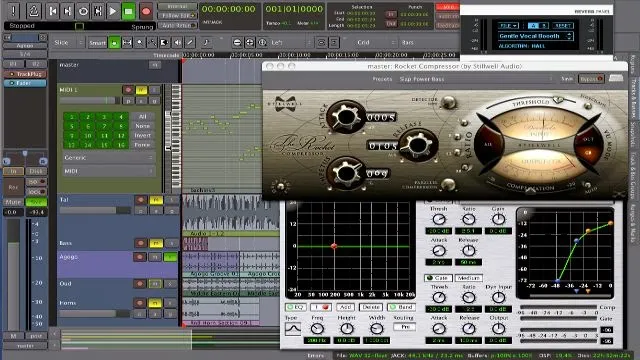
If It Ain't Broke, Don't Touch It — And Other Lies Linux Producers Tell Themselves
Photo: Whitman Bailey, Public domain, via Wikimedia Commons
There's a specific kind of dread that settles into a Linux audio producer's chest somewhere around the six-month mark. Your rig is dialed in. Sessions load clean. Latency is tight. The weird combination of a pinned kernel, a forked JACK config, and that one LADSPA plugin you compiled from source three distro versions ago is somehow holding everything together like structural duct tape.
And you are terrified to touch any of it.
Welcome to what we're calling the Frankenstein Problem — not because your setup is ugly, but because it's alive in a way its creator no longer fully understands.
How Stable Systems Become Fragile Ones
Here's the uncomfortable truth: most Linux audio setups don't become fragile because they're poorly built. They become fragile because they're well built — just not documented. You made a hundred small decisions over months of tinkering. You disabled a service here, symlinked a library there, added a realtime kernel flag after a Reddit thread at 2 a.m. Each decision made sense in the moment. None of them got written down.
Fast-forward to today. You've got a production environment that genuinely performs, and zero institutional memory for why it works. Update the kernel? Maybe. But last time you did that, PipeWire started fighting with ALSA and you lost a weekend. So you don't. You freeze the system in amber and hope for the best.
This is how studios end up running Ubuntu 20.04 in 2027.
The Real Cost of Standing Still
Stagnation feels safe. It isn't. A frozen Linux audio rig accumulates risk quietly. Security vulnerabilities go unpatched. Plugin dependencies drift out of sync with the rest of the ecosystem. Your DAW stops receiving updates that fix the exact bugs you've been working around manually. And when something does break — a hard drive, a USB interface firmware update, an accidental sudo apt upgrade — you're not restoring a documented system. You're reconstructing a mystery.
The producers who get hurt worst aren't the ones who update recklessly. They're the ones who don't update at all, then face a catastrophic failure with no roadmap for recovery.
There's also a subtler cost: creative stagnation. When you're afraid to install a new plugin because it might destabilize your session environment, you stop experimenting. You stop growing. The rig that was supposed to serve your music starts holding it hostage.
Why Producers Document Everything Except Their Own Rigs
Ask any serious Linux producer and they'll have meticulous notes on their signal chain, their mixing templates, their favorite saturation settings. Ask them to explain exactly how their JACK routing is configured and why, and watch the confidence drain from their face.
It's not laziness. It's psychology. When you're deep in problem-solving mode — chasing a crackling buffer, fighting a plugin that won't load — documentation feels like a distraction from the actual goal. You fix the thing, it works, you move on. The fix lives in muscle memory and nowhere else.
The result is a system that only its creator can operate, and even they're not sure they could rebuild it from scratch.
Building a Rig That Can Actually Evolve
The fix isn't dramatic. It's consistent. Here's what actually works:
Start a plain-text system log. Not a wiki, not a Notion board — just a text file in your home directory called studio-notes.txt. Every time you change something, write one line: what you did, why, and the date. That's it. Lowering the barrier to documentation is the only way it actually happens.
Use a package manager snapshot before every significant change. Tools like timeshift or snapper can capture your system state before you update anything. Think of it as a save point. You're not committing to the update — you're just making sure you can undo it.
Separate your creative environment from your experimental one. If your budget allows a second machine, great. If not, a separate user account with its own DAW config, or even a bootable USB with a clean session environment, gives you a sandbox where you can test new plugins and updates without risking your working setup.
Version-pin strategically, not universally. You don't need to freeze your entire system. You need to freeze the specific components that are load-bearing. Your realtime kernel, your audio interface firmware, your bridge layer — those get pinned. Everything else can stay current.
Write a rebuild checklist once a year. Sit down and document, step by step, how you would recreate your studio from a fresh install. The act of writing it will reveal the gaps in your own knowledge — and it'll save you if disaster strikes.
The Update You've Been Avoiding
Here's the reframe that might actually help: your Linux studio isn't a finished product. It's a living system, and living systems need maintenance to stay healthy. The goal isn't to find the perfect configuration and freeze it forever. The goal is to build a system you understand well enough to change safely.
That means making small, reversible updates regularly rather than big, terrifying ones occasionally. It means treating documentation as part of the production process, not an afterthought. And it means accepting that a rig you can confidently rebuild is more valuable than a rig that works mysteriously.
Your Frankenstein setup got you here. But the producers who keep growing are the ones who eventually learn to take the monster apart — and put it back together even better.
The update button isn't your enemy. Flying blind is.