Before You Blame the Plugin: Chasing Hum Through Your Linux Rig
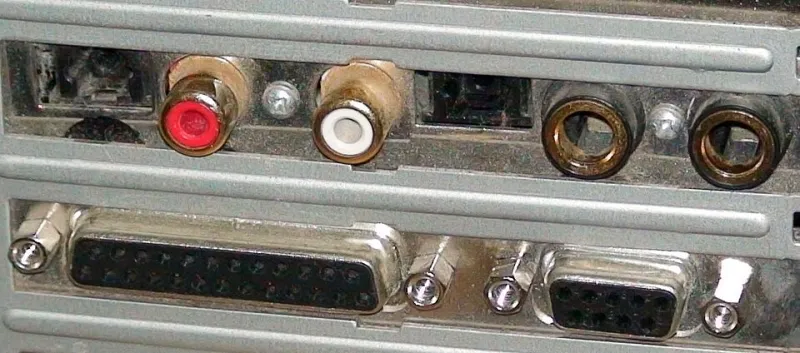
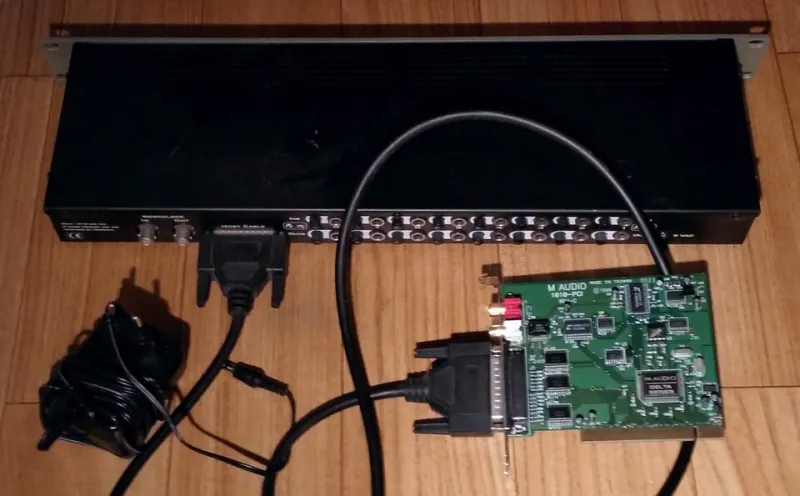
Photo: Musicproducer, CC BY-SA 3.0, via Wikimedia Commons
There's a particular kind of panic that hits when you arm a track, turn up the monitors, and hear it: a low, steady drone under everything. For a lot of Linux producers, the reflex is immediate — must be the plugin, must be the bridge, must be that Wine update from last week. Nine times out of ten, it isn't. A 60 Hz hum has no opinion about your plugin format.
So before you touch a single package, let's walk the signal path in the order noise actually travels. It's cheaper, it's faster, and it saves you from reinstalling a perfectly good synth at 11 p.m. on a Tuesday.
Start With Everything Unplugged
Solo your audio interface, put on headphones, and disconnect every input. No mics, no guitar, no USB MIDI keyboard, nothing. If the hum is still there with a completely empty interface, you've just eliminated every cable, every instrument, and every plugin in one move. What's left is the interface itself, its power supply, or the computer feeding it.
If the hum vanishes, plug things back in one at a time. Slow and boring beats clever every time.
The 60 Hz Confession
US wall power runs at 60 Hz, so a ground loop shows up as a peak right at 60 with a fairly clean shape. Buzz at 120 Hz and its harmonics usually points elsewhere — a failing wall wart, a dimmer switch sharing the circuit, a cheap power supply in a USB hub. Broadband hiss with no clear peak is almost always gain staging, not grounding.
You can confirm this objectively instead of guessing. Record ten seconds of the noise in silence:
arecord -f cd -d 10 hum.wav
Open it in Audacity, select the clip, and hit Analyze > Plot Spectrum. A hard spike at 60 means grounding. A stack of spikes at 120, 180, 240 means power supply. A gentle slope with no peaks means you're amplifying noise that was always there.
Listen to Silence: The Null Test
To find out whether a plugin is contributing, build a session with nothing in it but your interface and one track. Record or monitor silence. Then insert your plugins one at a time, with no audio playing. Anything that adds hiss at idle is a plugin problem. Anything that only gets noisy when you push its input gain is a gain staging problem wearing a plugin costume.
Do the same with a real signal. If the noise floor rises when you turn up a plugin's own input knob but stays flat when you turn up the interface preamp, you've found your culprit — and it's not the cable.
USB Power Is a Shared Utility
Bus-powered interfaces share a power budget with everything else on that controller. A bus-powered interface chained behind a bus-powered external drive is asking for trouble. Symptoms tend to be crackle and dropouts rather than hum, but USB problems are sneaky and can present as a whine that tracks your screen refresh.
Check the kernel for complaints:
dmesg | grep -i xhci
Errors here mean the controller is dropping packets, which is a hardware and topology issue, not a plugin issue. Try a rear-panel port directly on the motherboard, then a powered hub, then a different controller entirely. Front-panel headers on cheap cases are the usual suspect.
Cables: The Unglamorous Truth
Unbalanced TS runs longer than ten feet, draped across a power strip or a laptop charger, will pick up noise. That's physics, not brand loyalty. If your guitar cable is coiling next to a monitor power brick, move it and listen again before you buy anything.
Also check that you know what you're plugging in. A TRS cable into a TS output, or a stereo cable into a mono input, can produce all kinds of weirdness. Swap in one known-good cable. One. Not the whole rack.
Ground Loops, Practically
Here's a free test: unplug the laptop charger and run on battery. If the hum disappears, you have a ground loop between the computer and whatever else is on that circuit. The fix is a proper one — a DI box with ground lift, a balanced connection, or getting the interface and the monitors onto the same circuit.
Do not lift the ground pin on a mains cable. That's not a workaround, that's a hazard, and it's the kind of thing that gets studios burned down.
Gain Staging Is Where Hiss Is Born
A preamp cranked to 90 percent with a plugin input trim pulled down to compensate will sound worse than the reverse, every time. Aim for healthy levels at the interface — peaks around -12 dBFS on the loudest part of the take — and let plugins do their work from there. Watch for phantom power left on with a ribbon mic, pads left off on hot sources, and instrument inputs fed line-level signals.
When It Really Is the Plugin
Sometimes it is. Analog-modeled compressors, tape emulations, and amp sims are noisy on purpose — that's the sound you paid for. Some free plugins handle denormals poorly and get crunchy on quiet passages. Some misbehave when the session rate doesn't match the device rate. But those cases sound different: they scale with input, they appear on specific presets, and they go away when you bypass.
A Five-Minute Triage Order
- Empty interface, headphones, nothing plugged in.
- Record silence, plot the spectrum, identify 60 vs 120 vs broadband.
- Battery test on the laptop.
- One input, one known-good cable.
- Plugins inserted on silence, one at a time.
- Only then: kernel logs, USB topology, buffers.
Reinstalling is step nine of ten. Almost nobody gets that far.