Feel It Before You Hear It: Tracking Down the Real Latency in Your Linux Studio
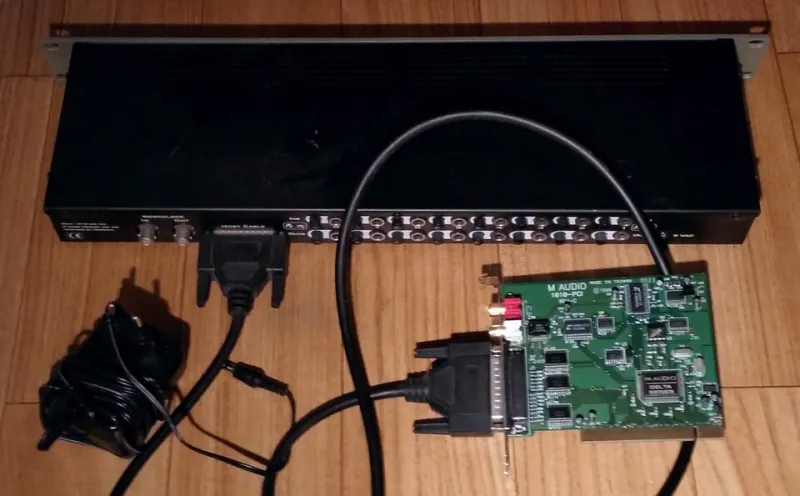
Photo: Musicproducer, CC BY-SA 4.0, via Wikimedia Commons
Every Linux producer has had the same argument with themselves: the buffer is at 64 samples, the CPU meter is barely breathing, and yet playing a soft synth feels like typing with gloves on. So you drop to 32, everything crackles, you go back to 64, and you tell yourself you're imagining things.
You're not imagining it. But the buffer probably isn't the culprit either. Perceived latency on a Linux rig is a stack of small delays piled on top of each other, and the buffer is just the layer with the friendliest slider. Here's how to figure out which layer is actually eating your afternoon.
Feel versus numbers
Two different things get called latency and they get conflated constantly. There's the measured round trip — the time between a key press and the sound leaving your speakers — and there's the felt responsiveness of a rig when you're actually playing.
The first is physics and you can measure it. The second is a mix of physics, plugin delay compensation, monitoring path, and how your brain expects an instrument to behave. A rig with a perfectly respectable 8 ms round trip can feel awful if your monitoring runs through a lookahead limiter, a linear-phase EQ, and three oversampled plugins. A rig with a slightly worse number can feel great if monitoring is direct. Fix the second thing first. It's usually cheaper.
Where the milliseconds actually go
A typical chain on Linux looks like this: input conversion, USB transfer, kernel scheduling, the audio server's period structure, your DAW's block, plugin delay, output conversion, and finally the speed of sound between your monitors and your ears. Most folks only ever touch one of those.
At 48 kHz, a 128-sample buffer is about 2.7 ms. A 64-sample buffer is about 1.3 ms. So when someone says they can't feel the difference between 128 and 256, that's not stubbornness — that's because 5 ms of buffer against 12 ms of everything else barely registers.
The buffer trap
Lowering the buffer shrinks one term in a sum. If the sum is 20 ms and the buffer term is 3 ms, halving the buffer buys you 1.5 ms and a much higher chance of xruns. That trade is bad.
The buffer also isn't free of consequences. Small buffers mean the CPU has less time to wake up and fill the next block, which means scheduler jitter that was invisible at 256 samples suddenly becomes audible pops at 64. You're not hearing the buffer; you're hearing the scheduler.
Kernel, scheduler, and the parts nobody sees
This is where Linux rigs separate from the pack — in both directions. A stock kernel with a misconfigured realtime setup will give you a sluggish, spiky feel that no buffer size can fix.
Start by checking whether your user actually has permission to run realtime threads. Look at your limits.conf or limits.d for rtprio and memlock entries and confirm they're taking effect for your session. Then check how PipeWire is configured: an unpinned quantum that wanders between 1024 and 256 depending on load will feel inconsistent in a way that reads as latency but is really variability.
For diagnosing, cyclictest tells you about kernel timer jitter, and any xrun counts in pw-top tell you whether you're dropping periods under load. If the xruns happen only when a browser is open, that's not an audio problem, that's a scheduling priority problem.
USB versus PCIe, without the folklore
USB class-compliant interfaces move data in 1 ms frames at full speed, and high-speed devices use 125 µs microframes. That's a floor baked into the transport, and it's one reason a USB interface can feel a touch softer than a PCIe card even when both report the same buffer size. It's also why USB topology matters: a hub shared with a webcam will hand you periodic spikes that look exactly like plugin problems.
None of this means USB is unusable — most of us run USB every day. It means you should plug the interface directly into a root controller, keep it off the same bus as your drives and camera, and stop blaming the plugin for a problem that lives in the cable.
Plugins report their latency, sometimes
Delay compensation is only as good as the numbers plugins declare. A lookahead limiter, an oversampled saturation stage, or a linear-phase EQ can each add a few milliseconds, and a whole chain of them can quietly push your monitoring path into the double digits.
Under Yabridge and WINE, the declared latency can be optimistic or flat-out missing depending on the plugin. If a session feels fine with the plugin bypassed and mushy with it engaged, you've found your answer without touching a single buffer setting.
Measure it once, properly
Set up a physical loopback: output to input on the same interface, run jack_iodelay or the equivalent calibration in your DAW, and write down the actual round trip. Do it at 64, 128, and 256 samples, with plugins bypassed and then engaged. That single table will tell you more than a week of forum reading.
A fix-it order that doesn't waste your weekend
- Measure the true round trip. Everything after this is guesswork otherwise.
- Take monitoring out of the plugin chain. Direct monitoring or a dedicated cue path first, always.
- Clean up USB topology before you clean up anything else.
- Pin your PipeWire quantum instead of letting it float.
- Verify realtime privileges and priority are actually applied.
- Consider 96 kHz if your CPU has headroom — it halves the per-sample time for the same buffer count, which can rescue a rig that's comfortable at 256.
- Only then start counting samples down, one step at a time, with a real session loaded.
The sluggish feel usually isn't one dramatic problem. It's five boring ones stacked. Deal with them in that order and the buffer slider stops being the only tool in the drawer.